Point clouds, measured surveys and BIM: how to assess and accept technical deliverables from laser scanning
A client receives a link to a view of the premises, opens the measurement tool and sees the dimensions of a wall. It is natural to assume that renovation design can now begin without further questions. Sometimes the data does help work get started. But turning a convenient view into a verified basis for design requires attention to accuracy, coverage and how the data should be interpreted. Pro3D is a software developer; laser scanning is a method of capturing data about a property.
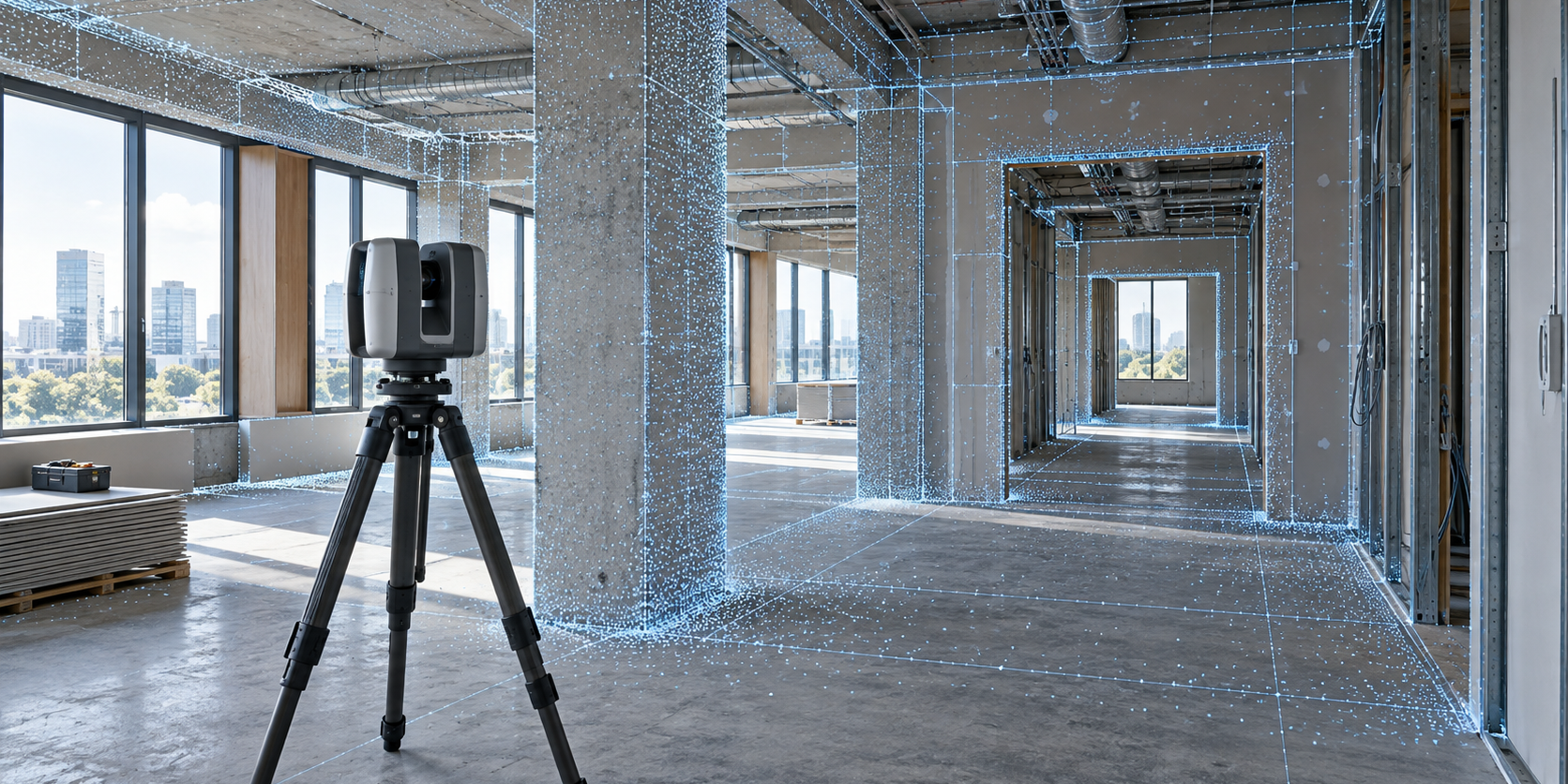
Illustrative diagram. The exact deliverables are agreed in the project brief.
If the deliverables are intended for an architect, engineer or structural component manufacturer, these requirements should be agreed before the site visit. Otherwise, both parties may act in good faith while working towards different outcomes: one prepares an attractive walkthrough, while the other expects a measured survey package.
What types of deliverables are available?
Virtual tour helps you explore the premises and discuss design options. Point cloud stores spatial measurements or reconstructed surface points. Drawing converts selected data into plans, sections and dimensions. BIM model represents building elements and the agreed information about them.
On its scanning page, Pro3D lists tours, HDR photos, plans, E57, DWG and BIM among the possible deliverables. The scope of delivery depends on the task and the source data, and clients are advised to discuss accuracy requirements for technical work in advance. A well-defined brief therefore starts with a list of deliverables and the intended use of each. Pro3D interior scanning.
The label “BIM model” alone does not define the quality of the deliverable. You need to specify file formats, the software version and a list of elements. Modelling walls, columns and floor slabs is one scope of work; modelling visible pipework with diameters and positional references is another.
Where measured surveys are most useful
An office renovation in Moscow may require column positions, heights and openings. A restaurant refit in Minsk may require visible building services and the geometry of the service area. A warehouse in Almaty may require the spatial relationship between several areas, floor levels and equipment locations.
These are hypothetical examples of project requirements, rather than accounts of completed projects. In each case, the first step is to ask the designer which data they need to start work, which decisions will still require further investigation and which dimensions are critical.
Survey data capture is particularly useful when a property is complex, access time is limited or return visits are inconvenient. However, a conventional measured survey may be sufficient for a few straightforward dimensions. The value of scanning should be assessed by the amount of information required, rather than the prestige of the equipment.
Accuracy needs to be considered at four levels
The first level is the specified accuracy of an instrument or method under particular conditions. The second is the consistency of data captured from multiple survey positions. The third is the accuracy of a required dimension in the final data. The fourth is the accuracy of an element that a designer has modelled from those data.
These levels are not equivalent. A sensor specification does not prove that every drawing meets a given tolerance. Nor does a dense point cloud guarantee accuracy: a large number of points can describe a displaced surface in great detail.
To illustrate the distinction, Leica specifies range accuracy and spatial point accuracy separately for its RTC360 terrestrial scanner. These are specifications for a particular piece of equipment, rather than for software developed by Pro3D or a completed measured survey project. Leica RTC360 specifications.
In a technical brief, it is more useful to write “verify the specified dimensions within an agreed error tolerance and provide verification results” than “capture as accurately as possible”. The numerical tolerance should be proposed or confirmed by the specialist responsible for using the data. This article does not set a universal tolerance for all properties.
A scanner sees surfaces, not every part of a building
Furniture, equipment and finishes conceal parts of a room. A pipe behind a casing does not appear in the point cloud simply because an attractive overview of the room has been captured. If the client needs surfaces behind a cabinet or above a suspended ceiling, these will require access and a separate capture route.
It is useful to prepare a visibility plan in advance. Areas that are accessible, obscured or require preparation are marked on the floor plan. A list of gaps in coverage is then included in the deliverables. Such a list does not indicate poor work: an honestly documented limit is better than confidently filling in unknown details.
When documenting building services before they are enclosed, it is important to record the date and stage of the work. The tour subsequently shows the condition at the time of capture; it does not confirm that nothing has changed since. A version archive and a link between the captured record and the agreed documentation are useful for facilities management.
Why a point cloud does not automatically become a BIM model
A point cloud contains points, but it does not fully identify or describe building elements. Wall boundaries, level positions, the system a pipe belongs to and the level of detail all need to be defined. Processing tools can assist with some of these tasks, but responsibility for the final model remains part of the work.
Autodesk describes a point cloud as source data: the user inserts it into a project, defines levels and creates building elements from the measured geometry. This is a good example of the distinction between data capture and modelling. Using a point cloud in Revit.
Even compatibility has a specific answer. According to Autodesk Support, Revit links RCP and RCS point clouds; other formats must first be converted. The claim that “E57 will open in any program without preparation” is therefore too broad. Before placing an order, it is best to send a small test file directly to the specialist who will use the deliverables. Supported point cloud formats in Revit.
Where photogrammetry fits in
Photogrammetry can be useful for individual objects, façade details and objects with distinctive surface textures. However, choosing it also requires checking the conditions: viewing angles, scale, lighting and surfaces all affect reconstruction.
Agisoft warns of difficulties with shiny, transparent and textureless objects. Dimensional measurements require a coordinate reference or known distances; a scale bar and a full coordinate system serve different purposes. Metashape 2.3 Manual.
The practical takeaway is simple: instead of debating “lasers or photographs”, run a trial on a representative area. Check whether the data is sufficient for the intended deliverable. A combined approach is also possible, provided the origin of the data and the method used to combine it are clear.
Acceptance checklist by deliverable
| Deliverable | What to check | What does not prove quality on its own |
|---|---|---|
| Tour | Navigation route, capture date, required rooms, visibility of details | An attractive overview of the space |
| Point cloud | Units, coordinates, coverage, verification, ability to open the file | A large file size and point count |
| Measured drawing | Scope, check dimensions, marked gaps | A DWG file extension |
| BIM model | Elements, attributes, deviations, compatibility | Walls visible in a 3D view |
| Archive | Inventory, source files, versions, test restoration | A link to an active account |
The reviewer needs to understand the intended use of the deliverable. A marketing specialist can approve the visual presentation, but technical deliverables are best accepted by a specialist who will work with them.
What to include in the technical brief for the designer
Specify the site boundaries, list of elements, coordinate system and units. Identify critical dimensions, verification requirements, the report format and rules for documenting inaccessible areas. Include the recipient’s software versions and a compatibility test.
For a model, agree on the level of detail using descriptions and examples: which pipes to include, how to represent sloping walls and which attributes to populate. Unknown structures must be marked as unknown. If a condition assessment, opening-up work or material testing is required, specify these as separate tasks.
It is useful to carry out an acceptance review on a small section before processing the entire site. A single floor or representative technical area allows you to check the format, level of detail and understanding of the brief. Adjusting the agreed requirements at this stage is easier than reworking a large set of deliverables.
Questions and Answers
Is an E57 file a complete BIM model?
E57 carries point cloud data. Walls, floor slabs, openings and other BIM elements are created and checked separately within the agreed scope. Point cloud delivery and design model delivery therefore need separate acceptance criteria, even when both are part of the same order.
Why agree on tolerances before the survey?
They determine the survey method and verification procedures. If particular openings or heights are critical, identify them in advance along with the permissible error. After the survey, the appearance of a measuring tool in the interface is not sufficient grounds to declare the entire tour suitable for precision work.
How should surfaces that could not be seen be handled?
Mark gaps and inaccessible areas in the report, and capture or measure any required areas separately using an agreed method. Hidden geometry must not be passed off as measured data. If the designer models an assumed element, its status must be distinguishable from geometry confirmed by the survey.
How can DWG or BIM deliverables be reviewed before the order is complete?
Open the files in the agreed software and check the scale, coordinates, check dimensions and list of elements. Compare the result with the brief and documented exclusions. An attractive image of the model is useful for an overview, but it does not replace checking the actual working files.
Next step
For a preliminary estimate using the 360° Space calculator attach a plan and this checklist. In your enquiry for a survey and interactive tour specify the Pro3D technical deliverables and the intended use of the measured survey separately. This will ensure the quotation is based on a verifiable deliverable rather than an undefined promise of an “accurate digital copy”.
Order a 3D tour for your property
Leave your contact — we'll respond within 30 minutes and calculate the cost