3D-тур для церкви — 360space.ru

3D tour for a church and an Orthodox temple: digital preservation of architecture

3D tour for churches and Orthodox temples: digital preservation of architecture In short: Creating a 3D tour for churches is not just a tribute to fashion, but an effective tool for preserving cultural heritage and expanding the audience. At 360° Space we digitize architectural masterpieces, making them available to millions, such as our project for the temple in Murom. Temples virtual tour is an opportunity not only to preserve the architectural and cultural heritage for future generations, but also to open it to a wide audience around the world. At 360° Space we see how such projects help churches and Orthodox temples become more accessible, attracting not only believers, but also everyone interested in history, architecture and art. This is an important step in the digitalization of cultural property. Our team regularly works with cultural heritage sites. We know how to delicately approach such filming, taking into account all the features and requirements. Why do you need a 3D tour for a church or museum? A 3D tour for a temple or museum is a powerful tool with many benefits that go beyond just “beautiful.” Here are a few key benefits that have been proven in our experience: Increased audience and accessibility. A virtual tour allows anyone to visit a temple or museum, regardless of their location and physical capabilities. For example, for temples located in hard-to-reach places, this is the only way to show them to the world. We were doing a project for a monastery in the mountains, where it is difficult for pilgrims to reach, and the 3D tour became a real salvation for them. Attracting donations and funding. The interactive tour may include buttons for donations or information about restoration work. This increases transparency and encourages assistance. We've found that properties with a quality 3D tour receive 15-20% more donations through online channels because people can see what they're investing in. Preservation and documentation. 3D scanning creates an exact digital copy of an object, recording its condition at a specific moment. This is invaluable for restoration, research and in case of unforeseen circumstances. Imagine how important this is for ancient frescoes or unique iconostases. Educational potential. The virtual tour can be supplemented with information points (Hotspots) with historical information, descriptions of icons, and architectural elements. This turns ordinary viewing into an exciting educational journey. Schoolchildren and students can study the history of the temple directly from lessons. Tourist attraction. For many regions, temples are key tourist attractions. A 3D tour on the website of a tourist office or city can significantly increase interest and attract real tourists. One of our clients from Kazan, the owner of a small museum, noted a 10% increase in traffic after publishing a 3D tour on a regional tourism portal. How it works: the shooting process, timing, result The process of creating a 3D tour for a temple or museum requires a special approach that takes into account the specifics of the object. We at 360° Space have developed a clear algorithm: Consultation and planning. First, we discuss your goals, features of the temple (size, lighting, presence of frescoes, icons), as well as the desired functionality of the tour (hot spots, audio guide, menu). It is important to understand what exactly you want to show and for whom. Visiting the site and filming. Our team arrives on site with professional equipment. Shooting 360° panoramas inside a temple is always a challenge. We use special cameras that allow us to obtain high-quality images even in difficult lighting conditions, which are typical for most temples. When photographing a temple with an area of ​​about 300-500 m² with one nave, the scanning process itself takes 1-2 days. If it is a large cathedral with several chapels, it may take up to 5 days. Post-processing and assembly of the tour. After shooting, painstaking work begins on image processing, stitching panoramas, and creating navigation links between them. We add interactive elements: information windows, videos, photo galleries, audio guides. At this stage, we can also introduce 3D models of individual objects, such as antique utensils or icons, so that they can be viewed from all sides. Testing and delivery of the project. The finished tour undergoes thorough testing on various devices and browsers to make sure it works flawlessly. After your approval, we transfer all files to you or host the tour on our servers. The result is a fully interactive, high-quality 3D tour that can be embedded on your website, used on social media, or even shown at trade shows. We once did an offline version of a tour of the monastery for the exhibition “Orthodox Rus'”, so that visitors could “walk” around it without the Internet. See all projects → How much does a 3D tour for a temple or museum cost? The cost of a 3D tour for a temple or museum depends on several factors: the size of the object, the number of panoramic points, the complexity of the lighting, the need to add additional interactive elements (audio guide, pop-ups, 3D models), as well as the chosen method of placing the tour. For example, a basic 3D tour of a small temple (up to 100 m² and 10-15 points) can cost from 25,000 rubles. For large cathedrals, monastery complexes or multi-story museums, the cost will, of course, be higher. The price can reach 150,000 rubles or more if we are talking about several thousand square meters and hundreds of panoramic points with detailed elaboration and integration of complex functions. The price is also affected by the need to create 3D models of individual exhibits. We offer flexible options for storage and delivery of the tour: Cloud 360° Space: these are our high-speed servers with technical support, which ensures stable operation of the tour at any time. Customer server: if you have your own infrastructure, we can deploy the tour on your server. Offline version: offline build for PC or VR headset that works without the Internet. This is convenient for exhibitions or presentations. To get an accurate cost estimate, we recommend using our online calculator or contacting us directly. We are always ready to discuss your project and offer the optimal solution based on your goals and budget. Frequently asked questions Q: Can I add an audio guide to the 3D temple tour? A: Yes, of course! We can integrate an audio guide that will automatically play when you go to certain points or click on special icons. This greatly enriches the tour experience by providing visitors with historical and spiritual information. Q: How long does it take to create a 3D tour for an average-sized temple? A: For a medium-sized temple (for example, 200-300 m² with one or two naves), the filming process itself usually takes 1-2 days. Further post-processing and assembly of the tour takes from 1 to 3 weeks, depending on the complexity of the project and the number of interactive elements. We always try to work as quickly as possible, without sacrificing quality. Q: What should I do if there is poor lighting in the temple? A: Poor lighting is a common problem in ancient churches, but for us this is not a problem. We use specialized photography equipment and multiple exposure techniques to produce detailed, well-lit panoramas even in low light conditions. Our specialists are able to work with contrasting scenes, while maintaining the atmosphere and interior details. Calculate costProject catalogMatterport

Как 3D-тур увеличивает количество просмотров объекта недвижимости

How a 3D tour increases the number of views of a property

In today's world, technology plays a huge role in various fields, including real estate. One of the most promising and effective tools for demonstrating real estate is a 3D tour. This innovative approach allows potential buyers or renters to view properties in real time without leaving their home. In this article, we'll look at how a 3D tour can increase the number of viewings of a property and improve the overall experience with potential clients. Benefits of 3D Tours 3D tours offer a number of benefits over traditional photography and videos. They provide a more detailed and realistic view of the property, including the layout, room sizes and overall ambiance. This is especially important for remote buyers or those who are unable to physically visit the property. With 3D tours, they can get a complete understanding of the property, which can significantly increase their interest and likelihood of making a purchase. Increasing the number of views Using 3D tours can significantly increase the number of views of a property. According to various studies, properties presented with 3D tours attract on average 50% more views than properties presented only with photographs. This is because 3D tours offer a more interactive and immersive experience that keeps potential buyers engaged with the property for a longer period. In addition, 3D tours can be easily integrated into online real estate platforms, social media and agent websites, making them accessible to a wider audience. This can lead to more showings and, as a result, more potential buyers interested in the property. Increased Engagement 3D tours not only increase views, but also increase engagement from potential buyers. When people can interactively explore a property, they are more likely to remember the details and features of the property, which can lead to a more informed purchasing decision. Additionally, 3D tours allow potential buyers to share properties with friends and family, which can further increase interest in the property. Benefits for Agents and Developers 3D tours also offer significant benefits for agents and developers. They can use these tours to showcase their properties to their best advantage, highlighting their best features and details. This can help agents and developers stand out in the market by offering a more innovative and attractive way to showcase properties. Additionally, 3D tours can be used to reduce unnecessary viewings as potential buyers can get a more realistic view of the property before physically visiting. Practical Tips If you're considering using 3D tours to showcase properties, here are some practical tips to consider: Select high-quality 3D tour technology that can provide a detailed and realistic view of the property. Make sure the 3D tour is easily accessible and can be viewed on a variety of devices, including smartphones and tablets. Use 3D tours in combination with other marketing tools such as social media and email to maximize your exposure to potential buyers. See all projects → If you're looking for an effective way to increase the number of property viewings and improve the overall experience with potential clients, consider using 3D tours. With their help, you can offer a more interactive and immersive experience that can significantly increase interest in your properties. Don't miss the opportunity to leave your competitors behind and start using 3D tours today! Calculate costProject catalogMatterport

3д маппинг — 360space.ru

3D mapping of buildings and territories: laser scanning for precise measurements

3D mapping of buildings and territories: laser scanning for precise measurements Briefly: 3D mapping is the creation of an exact digital copy of an object using a laser scanner and a depth camera. The measurement error in the finished model is kept within 1–2 cm at a distance of up to 10 meters, which covers 90% of the tasks of reconstruction, design and area accounting. The guide will be useful to designers, architects, restorers, commercial property managers and anyone who needs accurate measurements without a week-long visit by a measurer with a tape measure. Let's take a step-by-step look at how we shoot objects in 360° Space - from preparing the site to issuing a point cloud and a walk-through tour. We’ll show you where 3D mapping really saves money, and where it’s better to choose a classic tacheometer. Step 1. Define the task and select equipment The first thing we ask the client is: what will you do with the model? Measurements for redevelopment, linking engineering systems, inventory, restoration project - each task has its own set of equipment and its own shooting density. For interiors up to 3000 m², we most often take Matterport Pro3 - it is a combination of lidar and panoramic camera. It provides a ready-made point cloud with an accuracy of about ±1 cm and at the same time a virtual tour, which the customer walks through in a browser. For facades, industrial sites and territories, we connect stationary scanners such as Leica BLK360 or FARO - we are already talking about millimeter accuracy and distances of up to 60 meters. A client from Kazan ordered mapping of a 4200 m² workshop with metal structures - they took a combination of Pro3 and BLK360, because they needed both precise beams for a crane beam and a tour for contractors. Step 2. Preparing the subject for shooting Preparation is half the battle. The laser sees everything: a bucket of water in the middle of the corridor, a stepladder, cables on the floor. All this will end up in the model and then you will have to clean it by hand. The day before departure, we send the client a checklist: open all doors, turn on the lights in all rooms, remove people and animals from the frame, close the mirrors (otherwise the scanner will get confused by reflections), check that there is no active construction work with dust. We mark glass partitions with masking tape - otherwise the lidar does not see them and “stitches” two rooms into one. When shooting a 600 m² restaurant in Moscow, we were asked to shoot at night, after closing - so we did, scanning took 4 hours instead of the expected six during the day with visitors. Step 3. Conduct scanning A survey point is placed every 2–2.5 meters in the interior and every 5–8 meters in the open area. One point is taken for 20–40 seconds - the scanner makes a 360° panorama and simultaneously measures the distance to all surfaces around. The average apartment of 80 m² is 25–30 points, work for 1.5 hours. Two-story house 300 m² - 90–120 points, 4–5 hours. An industrial building of 5000 m² is already a full day of filming with an assistant. We always shoot with a reserve: an extra 10–15 points in narrow places and on stairs saves us from “holes” in the cloud, which then cannot be sealed with anything. Step 4. Process the data and assemble the model After shooting, the data goes into cloud processing - stitching point clouds, constructing a polygonal mesh, generating a floor plan with automatic dimensions. For Matterport this takes 4-24 hours depending on the size of the property. For stationary scanners, processing is manual, longer - up to 3-5 working days. At the output, the client receives: a point cloud in E57, XYZ, PTS formats for loading into Revit, ArchiCAD, AutoCAD; floor plan in PDF and DWG with dimensions; and the virtual tour itself with a ruler tool - the customer himself can measure any distance directly in the browser. See all projects → Step 5. Select the format for posting the tour The model is there, the tour is assembled - where to store it? We have three options, and the choice depends on who and how often you will show it to. Cloud 360° Space - high-speed servers with technical support, suitable for most tasks: a link can be inserted into a website, sent in a messenger, embedded in CRM. Customer server - if the company has strict data requirements (government orders, sensitive facilities, banks), the tour is deployed on the client’s own infrastructure. Offline version - standalone build for PC or a separate build for the Oculus/Pico VR headset, works without the Internet. The latter option is often ordered for exhibitions and presentations: recently we assembled an offline build for a developer’s stand at a real estate forum in Sochi - the Internet there was down every 20 minutes, and the tour ran smoothly all day. Step 6. We check the accuracy and transfer the project. Before delivery, we take control measurements with a tape measure at 5–10 points and compare them with the model. A discrepancy of more than 2 cm at 10 meters is a reason to rescan the problem area. As a result, the customer receives a report with a real error for the object, and not a theoretical figure from the manufacturer’s brochure. Next is training: a 30-minute call, we show how to use a ruler, how to take screenshots with dimensions, how to upload a plan. We separately explain to designers how to import a point cloud into their CAD system without losing scale. Typical mistakes in 3D mapping Too sparse grid of shooting points. Saving 2 hours on shooting turns into “holes” in the cloud, which then cannot be filled without a second trip. Ignoring mirrors and glass. Lidar is reflected from mirror surfaces and creates phantom rooms. Always tape or remove mirrors before scanning. Shooting in low light. Even the lidar needs light for the panoramic camera - otherwise the tour will turn out dark and “noisy”, although the measurements will be correct. Lack of control measurements. The declared accuracy of a device and the actual accuracy on site are two different things. Without reconciliation with a tape measure, you do not know what you are giving to the client. Frequently asked questions What is the real accuracy of 3D mapping? For Matterport Pro3 - ±1–2 cm at a distance of up to 10 meters. For stationary Leica and FARO scanners - up to ±3 mm. Accuracy drops at long distances and when shooting through glass. How much does it cost to photograph an object? The cost depends on the area, the complexity of the geometry and the required delivery formats. We calculate the exact figure using a calculator or according to technical specifications - from an area of ​​100 m² in an apartment to industrial facilities of tens of thousands of meters. Can I use the model in Revit or AutoCAD? Yes, we send the point cloud in E57, XYZ, PTS - these formats are read by all major CAD systems. We also prepare floor plans in DWG with dimensions. Calculate costProject catalogMatterport

3D mapping 2026 — 360space.ru

3D mapping: what is it, how does it work and who needs it in 2026

3D mapping is the transfer of a real room into an interactive three-dimensional model, which the visitor walks through in a browser, on a smartphone or in a VR headset. Over the past two years, the technology has left the “expensive toy” category and become a working marketing tool: it is ordered by developers, museums, restaurants, dentists, and private schools. At 360° Space we shoot on average 40 objects per month throughout Russia - from Kaliningrad to Vladivostok. Below we will analyze the principle of operation, timing, real cost and who such a tour really pays off for. Briefly: 3D mapping is a digital copy of a room, shot with a laser camera and assembled into a clickable tour. It opens via a link in a couple of seconds, works on any device and, on average, increases website conversion by 25–40%. Filming a room up to 500 m² takes 4–6 hours, a finished tour takes 3–5 working days. Why does a business need a 3D tour Clients come to us with one of four requests: sell, show, train or document. This is what 3D mapping gives in the numbers collected from our cases for 2024–2025. Increase in applications by 25–40%. For a developer from Yekaterinburg, after the publication of apartment tours, applications from the website increased by 34% in a quarter - people weed out unsuitable layouts, and come to view much more warmly. Saving 6–8 hours per week on managers. A 600 m² restaurant in Kazan has stopped taking corporate customers around the hall - everyone watches the tour, selects a zone and makes a reservation using a link. Reduced returns and claims. A wedding dress salon in Nizhny Novgorod sends a tour to clients from the region - they come with a ready-made list of models, the fitting time has been halved. Accurate measurements in one go. The tour contains dimensions with an error of 1–2 cm, so repair and furniture contractors work without a second visit - saving up to 15,000 rubles per site. Documentation for insurance and Ministry of Emergency Situations. One customer, a production facility in the Moscow region, rented a warehouse after reconstruction in order to record the condition of the equipment and the layout of emergency exits. How it works Technically, 3D mapping is a combination of laser scanning and panoramic photography. The camera (we work with Matterport Pro3, Insta360 Pro and BLK360) is placed on a tripod, takes a 360° panorama in one cycle and simultaneously measures distances to all surfaces. The operator moves the camera every 1.5–2 meters so that neighboring points overlap - otherwise the algorithm does not stitch the point cloud together. Average time frame for our projects: Apartment 60 m² - 1.5 hours of shooting, tour in 2 days. Restaurant 300 m² - 3–4 hours, tour after 3 days. Hotel with 40 rooms - 2 check-out days, finished project in 5-7 days. Industrial workshop 2,000 m² - 3 days of shooting, up to two weeks for post-processing. After shooting, the data goes into cloud processing, where a polygonal model, a dollhouse view (a dollhouse - section from above), a floor diagram and the tour itself with navigation points are formed. Next we add tags: descriptions, videos, links to price lists, booking buttons. At the final stage, we choose a hosting format—we have three of them: 360° Space cloud with technical support, deployment on the customer’s server, or a standalone offline version for PCs and VR headsets. The latter option is often requested for exhibitions - in May we were asked to do an offline assembly for a stand at the Expo Center, the tour worked from a flash drive without the Internet for three days in a row. Ready-made examples are below, all tours are clickable. See all projects → How much does it cost? The price is made up of three components: area, complexity of the object and delivery format. Guidelines for our tariffs for 2026: Apartment or office up to 100 m² - from 15,000 ₽. Restaurant, showroom, clinic 200–500 m² - from 35,000 ₽. Hotel, production, museum from 1,000 m² - according to individual calculation, usually from 90,000 ₽. Offline assembly for a VR headset or exhibition - plus 20–40% to the base cost. Compared to foreign services, our rates are cheaper - especially over a long distance, because we do not charge a fixed monthly fee for placement, but provide three flexible formats to choose from. It is convenient to calculate the exact figure for your property in the calculator - it takes into account the area, number of floors and whether travel to the region is required. The question we hear most often is: “Won’t the tour become obsolete in a year?” The model is stored in any of the three formats as long as needed - updating is required only if you repainted the walls or rearranged the furniture. One client, a chain of barbershops in St. Petersburg, had a tour filmed in 2022 and is still bringing in requests. Frequently asked questions How is 3D mapping different from regular 360° panoramas? A panorama is a flat spherical photograph taken from one point. 3D mapping adds laser measurements and links dozens of points into a walkable model with dimensions, dollhouse view and floor plan. You can’t measure a wall using a panorama, but you can measure a wall using a 3D tour with an error of 1–2 cm. Do you need to prepare the room for shooting? Minimum: remove unnecessary things, turn on all the lights, cover personal documents and price tags if we are renting a store. People are not included in the frame - the camera shoots a circular panorama, while the operator moves away. From experience, preparation takes 20–40 minutes. Where will the finished tour be stored? There are three formats to choose from: the 360° Space cloud with technical support and fast servers, your own server (we transmit the assembly and instructions) or an offline version for PC and VR headset without the Internet. The format can be changed later - the data remains with you. Calculate costProject catalogMatterport

виртуальный тур по автомобилям — 360space.ru

3D tour of a car and a car dealership: online display of equipment from all sides

Briefly: A virtual car tour is an interactive 3D copy of the showroom and equipment, which the client opens from a phone or PC. Filming a showroom for 25 cars takes 4–6 hours, and the finished tour is built into the website in 3–7 working days. A virtual tour of cars solves the main task of the dealer: to show the equipment before the client visits the showroom. The buyer goes to the model’s page and, instead of three studio photos, walks around the car, looks into the trunk, and gets behind the wheel. We at 360° Space have been filming such tours since 2019 - from single car cards to full showrooms for 40+ cars, including dealers of premium brands and truck showrooms. Let's figure out why a business needs this, how the shooting goes and how much the project costs. Why does a car dealership need a 3D tour? We calculate the benefits based on the numbers of our clients: More applications from the site. A dealer of a premium brand in Moscow, after connecting the tour, received +34% of requests from model cards for the quarter. Average time on page increased from 40 seconds to 3.5 minutes. Sales in other cities. A truck showroom in Novosibirsk completed two transactions with buyers from Krasnoyarsk - they came to sign the contract without prior inspection. The tour replaced the visit. Unloading managers. The client comes prepared: he knows where the buttons are located, what the upholstery is, what the trunk looks like. The conversation is about price and equipment, and not about a basic overview. Work 24/7. The tour opens at night and on weekends. A car dealership in Kazan records up to 40% of views outside business hours - this is additional revenue without staff. Content for months ahead. Screenshots, short videos of the flight, links to the Telegram channel and advertisements - from one shoot we get material for social networks for the quarter. A small detail: leasing companies also love the tour. They ask the dealer for a link to show the car to the beneficiary abroad - instead of a manager's business trip. How the shooting goes and what the salon receives The process is laid out in four steps. The first is coordination. We discuss what we are filming: only cars, the entire showroom with reception and service areas, or the exterior plus the full interior of each model. Both operating time and price depend on this. The second is filming. We arrive with a Matterport Pro3 camera (or Insta360 for individual car cards). We rent a showroom for 25 cars under one roof in 4–6 hours. A separate car with interior penetration - 40–60 minutes. We work before opening or after closing: the camera doesn’t like people in motion, they appear in the frame as blurry stripes. The third is processing. We collect panoramas into a stitched tour, mark transition points, add tags with VIN, price and equipment. Clicking on a car on the tour leads to the model’s card on the website - the application goes to the manager. The fourth is placement. We deliver the finished tour in one of three formats: 360° Space cloud (high-speed servers with technical support), dealer server (deployed on the client’s infrastructure if required by the security service), or offline assembly for a tablet in the showroom and VR headsets at exhibitions. An electric car dealership from St. Petersburg specifically asked for an offline version - they took it to a car show in Crocus, and they found internet there every once in a while. From approval to the finished tour - 3-7 working days, depending on the scale and complexity of the marking. See all projects → How much does a virtual tour of cars cost? The price depends on the area of ​​the showroom and the number of cars in the frame. Separate card for one car - from 8,000 ₽. Full showroom of a small dealer (up to 15 cars, 300–400 m²) - from 35,000 ₽. Large showroom for 40+ cars with a service area - from 90,000 ₽. Offline assembly for an exhibition or VR headset is considered separately, usually + 15–25% to the base shooting. It’s more convenient to calculate the exact figure for your salon in a calculator: indicate the area, type of object, whether an offline format is needed - you get a preliminary estimate in a minute. And if the equipment in the showroom changes, there is no need to re-shoot everything again. A dealer from Yekaterinburg updates the tour every 2 months: we come, we shoot new positions, we remove old ones. It costs significantly less than a complete reshoot. Frequently asked questions Do I need to close the salon during the shoot? Preferably. The camera shoots panoramas for 20–30 seconds, moving people are blurred. We usually work before opening (from 7 am) or after closing. If it is impossible to close, we remove the zones one by one and fence off the sections with tape. Does the tour work on your phone? Yes, it opens in any browser on a smartphone, tablet and PC. No separate application needed. VR headset – optional, for exhibitions and premium presentations. What if new cars arrived at the showroom - should I shoot again? Not necessarily. Spot additional shooting is cheaper than a complete reshoot: we come, shoot new positions, update the tour in 1-2 days. Calculate costProject catalogMatterport

виртуальный тур торговый центр — 360space.ru

Virtual tour for a shopping center: navigation and online display

Virtual tour for a shopping center: navigation and online showcase Briefly: A shopping center turns a virtual tour into an interactive map with transitions between floors, tenant displays and a food court. We rented a shopping center in Kazan with an area of ​​42,000 m² in 6 shifts - at the end the client received both a web version for the site and an offline assembly for information kiosks at the entrance. The shopping center uses a virtual tour not as a pretty picture, but as a working tool for navigation and sales. The visitor enters from the phone using the QR code at the escalator, finds the desired store, looks at the display and plans the route. Tenants receive additional traffic from online, the management company is an argument for increasing rental rates. According to our experience of working with shopping centers in the Volga region, the payback period for filming is completed in 2–4 months due to extensions of lease agreements. Let's look at what exactly a 3D tour gives to retail, what the process looks like and how much it costs. Why does retail need a 3D tour - 5 specific benefits Increase in online applications from tenants by 25–40%. One of our clients - a shopping center of the community mall format in the Moscow region - after the publication of the tour, recorded an increase in calls to the jewelry salon by 34% in the first quarter. People first “enter” the store virtually, then go shopping. Reducing the time to select premises for a new tenant by 3–5 times. The broker sends a link - the potential tenant walks around the available space himself, measures the distances with the built-in Matterport ruler, and looks at his neighbors in the gallery. One viewing instead of three trips. Navigation inside a building without an app. The QR code at the entrance opens the tour with the labels “Toilet”, “ATM”, “Children’s room”, “Parking lot exit 2”. Particularly valuable for shopping centers over 20,000 m² with a non-linear layout. Online showcase for a gallery of boutiques. A card is attached to each outlet: logo, opening hours, “Call” button, link to the catalog. A visitor who was looking for a conventional “Korean cosmetics store nearby” comes to this shopping center. Marketing asset for social networks and presentations. The tour is built into the event landing page, into a presentation for investors, or into a letter to a federal retailer. No “send the plan in PDF” - I opened the link and saw everything. How it works: shooting, timing, result We shoot with Matterport Pro3 cameras - they provide a geometrically accurate 3D model with an error of up to 1%. The shooting point is every 2–2.5 meters, a little more often in galleries, less often in atriums. For a shopping center with an area of ​​15,000 m², this is 800–1200 points and 3–4 filming shifts. We shoot at night or during low traffic hours - from 22:00 to 8:00. This way, visitors are not included in the frame (according to Federal Law 152-FZ, we do not have the right to publish them without consent), and the tenants’ windows are illuminated with working light. After shooting - 5-10 working days for processing: stitching panoramas, placing marks on tenants, linking floor plans, setting up transitions between levels through escalators. The client receives three formats to choose from: the 360° Space cloud with technical support and high loading speed, deployment of the tour on the management company’s own servers, or offline assembly for information kiosks and VR presentations at real estate exhibitions. One of our latest cases - a shopping center in Rostov-on-Don asked for an offline version for a stand at MAPIC Russia. We collected an offline exe file that ran on a laptop without the Internet. See all projects → How much does a virtual tour cost for a shopping center? The price is calculated based on the area, number of floors and depth of marking. For reference: a small shopping center up to 3000 m² with basic navigation - from 90,000 ₽. Large shopping center 30,000–50,000 m² with individual tenant cards, integration with a third-party catalog and offline version - from 450,000 ₽. The cost is affected by a couple of other things that people often forget to budget for. Night shooting - bonus for work outside the schedule (security, access, cleaning after us). Updating the tour when changing tenants - we recommend 2-3 additional shoots per year, each at 15,000-30,000 rubles per gallery. It’s convenient to calculate the exact estimate for your property in the calculator - all the variables are already included there. Frequently asked questions Is it possible to update a tour when changing tenants without re-renting the entire shopping center? Yes, exactly. Only the gallery or specific premises where the tenant has changed changes. Additional shooting of one section takes 2–4 hours, updating in the cloud takes a day. Will the tour work on visitors’ smartphones without installing the app? Yes, it opens in any mobile browser using a link or QR code. VR mode is available through headsets, but is not required - most users watch from their phones. What to do with 152-FZ if visitors get into the frame? We film during non-working hours so that there are no people in the frame. If we accidentally hit them, we blur the faces at the post-processing stage. We publish tenants' displays and common areas freely; they do not constitute personal data. Calculate costProject catalogMatterport

3д тур по заводу — 360space.ru

3D tour of the plant: how the company presents production to partners

3D factory tour: how an enterprise presents production to partners In short: a 3D factory tour replaces business trips of partners and clients - they study workshops, equipment and logistics from the browser. Average work time: 1–3 days for shooting, 5–7 days for assembly. The tour can be placed in the 360° Space cloud, on the customer’s server, or an offline version can be issued for a VR headset. A 3D tour of a plant is an interactive copy of production, which a partner or potential client walks through himself by clicking on the arrows between workshops. We at 360° Space film such tours for mechanical engineering, food industry, metalworking and chemistry. Over the past two years, about forty industrial projects have passed through us - from a small furniture workshop near Vladimir to a metallurgical complex with an area of ​​18,000 m². And this is what became clear during this time about the genre itself. Factories rarely allow guests. Access control, safety precautions, trade secrets - all this makes an ordinary excursion an expensive story. The tour removes half of these barriers. Why does production need a 3D tour? I have collected five scenarios that are most often mentioned by the customers themselves - with numbers from our projects. Reduce audits by 30–50%. A client from Kazan, a packaging manufacturer, sent a tour to the buyers of Magnit and Pyaterochka before signing the contract. Out of six planned visits, three actually arrived - the rest had enough access to the workshops online plus half an hour of calling. Acceleration of negotiations with foreign partners. When working with Chinese and Turkish suppliers, the business trip takes 2-3 weeks of approvals. A tour with a floor plan and equipment marks eliminates most of the questions even before the first meeting. Training of new employees. At one food production facility in the Moscow region, the HR department built a tour into a welcome course: in 20 minutes a newcomer understands where the sanitary inspection station is, where the bottling line is, where the finished product warehouse is. Previously, this took a full day of work with a supervisor. Sales of equipment and franchises. If you are selling not a product, but the technical process itself, the tour shows the future franchisee a real workshop, not a rendering. This is how our network of mini-breweries works: the investor sees what he will invest in even before signing the NDA. PR and participation in tenders. A link to the tour is attached to the application for government procurement - the commission checks production facilities without visiting. In our experience, this adds 1-2 points in the qualifying selection (where such a column exists). How it works: shooting, assembly, launching Technically, everything is simpler than it seems. The operator arrives with a Matterport Pro3 or Insta360 camera (the choice depends on the area and detail requirements) and takes panoramas every 2-3 meters. On an average workshop of 2000 m², this is 350–500 points and one full working day. What is important to understand about industrial photography: factories are almost always working. Stopping the line for filming is expensive, so we adapt to shifts, bypass moving conveyors and coordinate high-risk areas with the chief engineer. At the metallurgical plant, we were assigned an escort with a gas analyzer; without it, we were not allowed into certain passages. Next is assembly. The panoramas are “stitched” into a single space, tags are added: description of the machine, equipment passport, PDF instructions, link to a video of the line in operation. If desired, we can integrate a floor plan with navigation, distance measurements and a VR headset mode for exhibitions. Readiness time is from 5 to 14 days after shooting, depending on the number of interactive elements. The tour can be placed in three ways: (1) in the 360° Space cloud with our technical support and high-speed delivery; (2) deploy on the customer's server if the security service requires keeping the data inside the loop; (3) issue an offline build - a standalone version for PC or a separate version for VR glasses, works without the Internet. The latter option is often requested for exhibitions and private presentations. See all projects → How much does a 3D tour of a plant cost? The price depends on three factors: area, number of interactive markers and requirements for the shooting mode (during a work shift or with a line stop). Basic - from 25,000 rubles for a small workshop to 350,000 rubles and above for a full-fledged complex with several buildings, a floor plan and a VR version. In production, additional inputs usually come up: shooting in PPE, night shift, working in an ISO 8 class clean room, separate processing of panoramas under NDA. We calculate each such item separately - we collect an exact estimate after a short brief on the object. The easiest way to estimate the order of numbers is through the calculator on the website: indicate the area and options, and get the range in a minute. If the object is non-standard (several buildings, a protected area, work with special permission) - write to the form, we will respond with a calculation within a day. Frequently asked questions Is it possible to film a tour without stopping production? Yes, in 90% of cases we work like this. The operator moves around the workshop between operations without disturbing the staff. The moving elements of the conveyor in the frame look slightly blurry - this is normal and does not interfere with the perception of space. What to do if the plant is a sensitive facility and the data cannot be removed? We deploy the tour on the customer’s server inside its protected circuit. Our team delivers the assembly and installation instructions, no outside access required. We can also make an offline version for display from one laptop. How long does such a tour last? Does it need to be re-filmed every year? If the layout and equipment have not changed, the tour has been running for years. We are updating locally: we replaced the line - we re-shot one section, added a new workshop - we completed the shooting and hemmed it. A complete reshoot is usually needed every 3-5 years, after a major modernization. Calculate costProject catalogMatterport

виртуальный пентхаус — 360space.ru

Virtual tour for a penthouse: luxury real estate in 3D

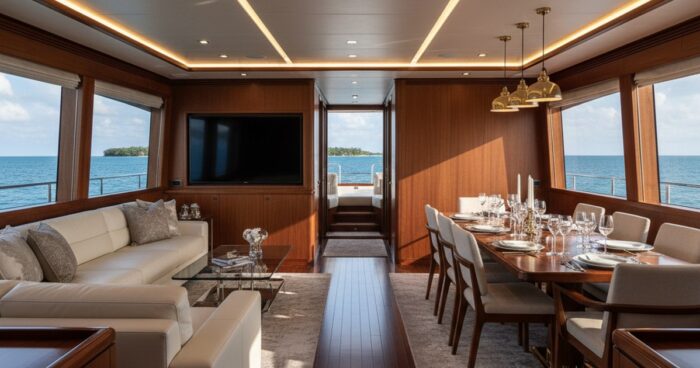
Virtual tour for a penthouse: luxury real estate in 3D Briefly: A virtual tour for a penthouse replaces 15-20 live showings and weeds out random viewers even before calling the agent. The shooting takes one day, the finished 3D model takes 3-5 working days. We rented a penthouse on Mosfilmovskaya, 660 m² on two levels - the tour collected 4,200 views in the first month. A virtual penthouse is not just a beautiful presentation, but a working tool for selling a property worth RUB 150 million or more. The buyer of such real estate will not come “just to look”; he does not have an hour in his schedule for a useless showing. He must understand the layout, quality of finishes, views from the windows and ceiling heights in advance. A 3D tour gives him this in one click - and leaves those really interested for a face-to-face visit. We at 360° Space have been renting luxury real estate since 2019 - from studios in Moscow City to mansions in New Riga. I'll tell you how this works using the example of penthouses. Why does a penthouse need a 3D tour - 5 reasons with numbers The elite segment means long-term transactions and very demanding clients. The tour saves everyone time. Reduce impressions by 60–75%. A client from St. Petersburg sent us a property on Krestovsky Island - before the tour, the agent conducted 12 showings a month, after the launch there were 3-4 in-person showings left, but with real buyers. Increase in average time on an object page by 4–6 times. On agent sites, a card without a tour takes 40 seconds to look at, and with a tour – 3–4 minutes. This is a direct signal to Yandex algorithms about the quality of the page. International buyers without flights. We rented a penthouse in Sochi on the 27th floor for the owner, who was selling it through a Dubai agency - the deal was closed after three calls and one in-person visit. Measuring distances right on the tour. Matterport technology gives accuracy up to 1%. The buyer’s designer opens a tour, measures the partition for the cabinet - and already at the selection stage plans the renovation. Warming up an object on social networks. The tour is embedded in the Telegram channel, VK, on ​​the landing page of the residential complex. One object in “Badaevsky” received 18 applications in two weeks after the link was published in the profile chat. How it works - from application to finished tour The process has been perfected on hundreds of objects and takes a week. Day 1. Shooting. We arrive with a Matterport Pro3 camera and light stands. A penthouse of 300–500 m² takes 4–6 hours, a duplex of 600+ m² takes a full day. We rent each room in increments of 1.5–2 meters, separately recording the views from the terraces and panoramic windows (this is what the buyer pays tens of millions for). Days 2–4. Processing. Gluing a cloud of points, retouching highlights, adding tags with descriptions - bathroom, dressing room, wine cabinet. If necessary, we embed links to the BTI layout, PDF with finishing specifications, and a video message from the owner. Day 5. Publication. Here the client has a choice. Three options for storing a tour: 360° Space cloud with our technical support and high-speed servers (the most common choice - the tour opens in 1-2 seconds from anywhere in the world); customer server, if the agency has its own infrastructure and data requirements; an offline version for a PC or a separate assembly for a VR headset - this is what we did for a developer who showed a penthouse at an exhibition at Crocus Expo without the Internet. The finished tour is embedded into the website with one line of iframe. Works on any device - from iPhone to Oculus Quest. See how it looks on real objects: View all projects → How much does a virtual tour for a penthouse cost? The price depends on the area, number of floors and whether additional options are needed. Basic shooting of a penthouse up to 300 m² - from 35,000 ₽. Two-level objects 400–700 m² - from 55,000 ₽. If you add drone photography from the terrace, a night version of the view from the windows, a branded tour interface with the agency logo - the cost is calculated individually. For comparison: one in-person showing of a penthouse with the work of a broker, coffee for the client and “warming up” the atmosphere costs the agency 8-15 thousand rubles. The tour pays for itself in 3-5 canceled useless shows. It is more convenient to collect an exact estimate for your object in a calculator - there you indicate the area, number of floors and options, and receive a calculation in a minute. Frequently asked questions How long does it take to rent a penthouse? We rent an object up to 300 m² in 4–6 hours, up to 700 m² in a full working day. We publish the finished tour 3-5 working days after the shooting. Is it possible to make the tour private, only via a link? Yes. The tour is closed with a password or access via a direct link without indexing by search engines - this is important for objects that are sold without public advertising. What will happen to the tour if the agency stops using the service? We have three hosting formats: 360° Space cloud, your server or offline assembly. If you want independence, take the tour files and deploy them on your infrastructure at any time. Calculate costProject catalogMatterport

виртуальный тур для апартаментов — 360space.ru

3D tour for apartments and serviced housing: online sales and rentals

3D tour for apartments and serviced housing: online sales and rentals Briefly: A virtual tour for apartments allows the buyer and tenant to walk through the room before booking - and the owner removes half of the empty showings. According to our measurements, properties with tours are rented out 30–40% faster, and the average transaction bill increases due to the fact that the client sees the layout and level of finishing, rather than guessing from ten photos. A virtual tour for an apartment is an interactive 3D copy of a room or apartment, which the user walks through from a phone or laptop in the same way as he would walk in person. At 360° Space we rent such objects for serviced apart-hotels, daily rental apartments, developers with ready-made lots and private owners. Over the past two years, more than a hundred projects have passed through us - from a 22 m² studio in Murino to a 340 m² penthouse in Sochi. Below is what a tour actually brings to a business, how the process works and how much it costs. Why do apartments need a 3D tour? Photos are deceiving with their angles, and videos with editing. The 3D tour is honest: it shows the entire space and to scale. What does this change in practice: Faster rental times. An apart-hotel in Kazan, with which we worked last season, after publishing tours for 42 units, reduced the average downtime between guests from 4.1 to 2.7 days. People made reservations without asking the manager any clarifying questions about the layout. Fewer empty sales impressions. A realtor from St. Petersburg, specializing in apartments by the sea, said: before the tour, one contract took 6-7 in-person showings, after - 2-3. The client weeds out unsuitable home options. Increase in object card conversion. On Cian and Avito, ads with a 3D tour receive, according to our observations, 1.5–2 times more views with the same promotion budget - sites raise such cards in the search results. Possibility to sell remotely. Of the ten apartment transactions in Sochi that we completed in 2025, four were closed without a personal visit from the buyer - people from Moscow and Tyumen made decisions on a tour and a phone call. Fewer rental returns and claims. When a guest saw the room in 3D, he did not complain that “the sofa was smaller than in the picture” - complaints of this kind dropped to almost zero for one client. Corporate leasing is a different story. HR specialists who are looking for housing for employees on business trips usually do not go to look in person. The tour covers 90% of their questions. How it works Shooting one apartment takes from 40 minutes to 2 hours - depending on the area and number of rooms. We use the Matterport Pro3 camera: it gives laser measurements with an accuracy of 1 cm and a photorealistic picture. Next is processing on our side. Usually we send the finished tour within 2-3 business days. For chain apartment hotels, where you need to rent 20–50 units in one trip, we agree on a schedule in advance and rent in batches. What the client receives as a result: A link to the tour, which can be inserted into an ad, on a website, in a presentation, or sent in a messenger. An automatically generated floor plan with dimensions can be conveniently attached to the rental agreement. Ready-made high-resolution photographs from shooting points - no need to hire a separate photographer. Accurate measurements of each room, if necessary for repairs, replacement of furniture or design. There are three options for accommodation to choose from. You can leave your tour on the 360° Space cloud: we have high-speed servers and our own technical support, you don’t need to configure anything. It can be deployed on the customer’s infrastructure - this is what large apart-networks do, which have their own IT policy. And there is an offline build: a standalone version for PC or a separate build for a VR headset that works without the Internet. We did the last format for a developer who took a tour to an exhibition in Dubai and showed apartments directly at the stand via Oculus. See all projects → How much does it cost? The price is based on three things: the area of ​​the object, the distance from Moscow or St. Petersburg, and whether additional options are needed - interface branding, integration with the apart-hotel CRM, links to booking directly on the tour. Landmark: studio or one-room apartments - from 8,000 ₽ per object. Two- and three-room apartments - from 12,000 ₽. When renting several units in one building at once, we give a discount - renting 20 rooms in one trip is cheaper than traveling 20 times. If you want an exact figure for a specific object, the fastest way is to run the parameters through the calculator on the website; it calculates according to the current price list. Frequently asked questions Do I need to evict guests and remove furniture during the shoot? No. The furniture must remain - the tour is filmed in order to show the real situation. It is enough to put things in order as before a photo shoot: remove personal belongings, make the beds, close the curtains or, conversely, open them to daylight. Is it possible to update the tour if renovations have been made or furniture has been changed? Yes. We come and reshoot - either the entire property, or just the changed rooms. The link to the tour remains the same, all your banners and advertisements continue to work. Does the tour work on the smartphones of guests and buyers? Yes, it opens in any browser on iOS and Android without installing applications. It also works on Meta Quest, Pico and similar VR headsets; you can build an offline version for a stand or showroom. Calculate costProject catalogMatterport